// Local-first coding agent

A local-first coding agent that actually gets things done.

Bring your own model — an embedded GGUF file, any Ollama / LM Studio / vLLM server, or Claude, OpenAI, and Gemini with your own API keys — and get a real agent loop with a permission engine, checkpoints, and MCP tools. Nothing has to leave your machine unless you tell it to.

Free to download No telemetry, ever Embedded models run fully offline No account required
// Why local-first

Not just another model runner

Most local-model tools — Ollama, LM Studio — stop at serving a model. localagent is a full coding agent built on top of one.

A real agent loop

Read → act → check, a deterministic permission engine (not LLM judgment), one-checkpoint-per-task revert, and per-hunk diff review before anything gets written.

Zero backend, by construction

Inference for the embedded and custom Hugging Face models runs entirely in-process — zero backend, zero telemetry. Not a setting you have to hunt down and switch off.

Rules you can read

The permission engine is plain code with four modes and a command-risk classifier, so what runs without asking is a rule you can read, not a model's guess.

PLAN DEFAULT ACCEPT_EDITS AUTO_SAFE SAFE_READ · NETWORK · DESTRUCTIVE · UNKNOWN
# no server, no other app — a GGUF model runs in-process
node dist/cli.js "explain how add() works in math.js" \
  --workspace ./fixture-repo \
  --mode DEFAULT
// Full demo

See it end to end

Settings, MCP servers, the model picker, a custom Hugging Face search, picking a workspace, multiple session tabs, a real task with a diff to approve, and signing in — cut together from unscripted runs of the real app.

// Features

Everything it actually does
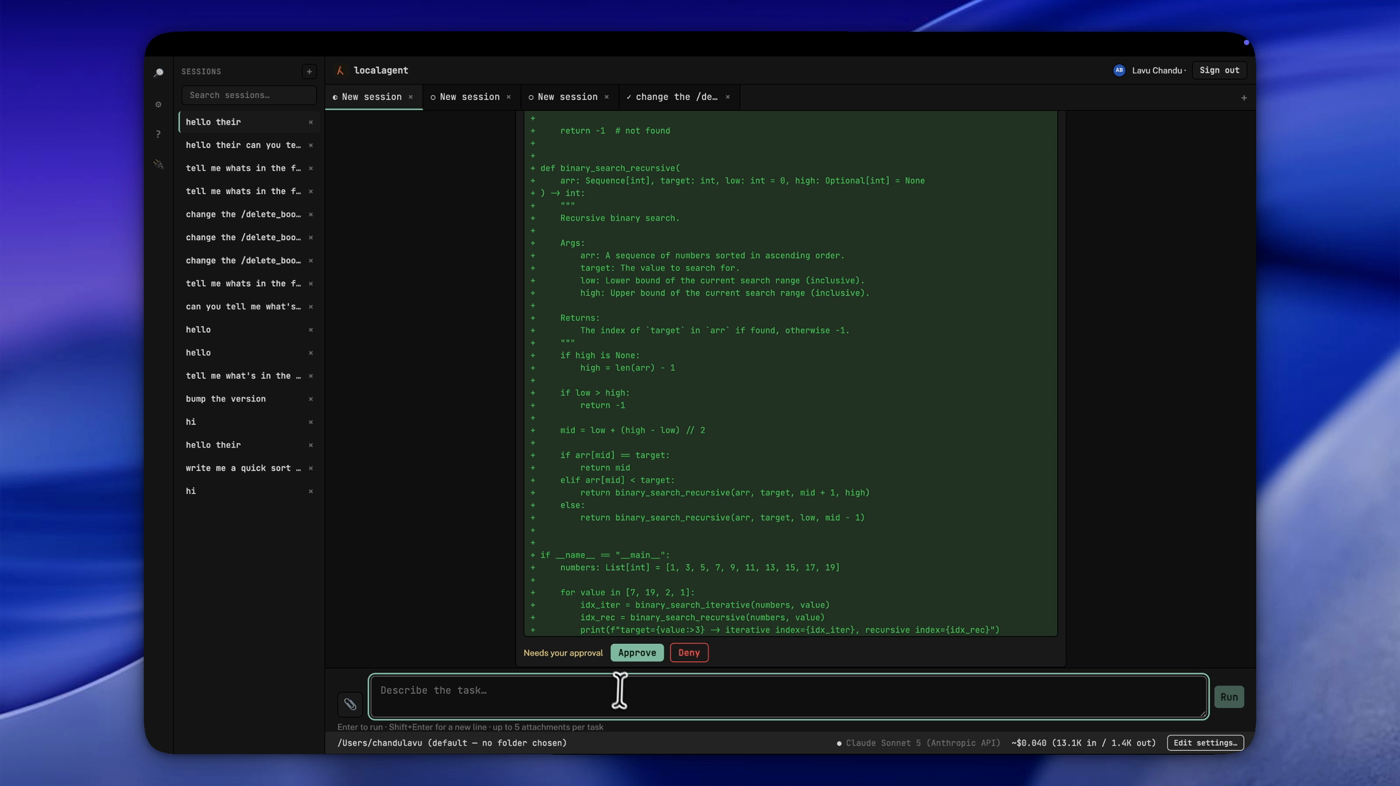
A real colored diff waiting for approval before localagent writes binary_search.py
Code safety

Per-hunk diff approval

See the real colored diff before approving an edit — not a model's summary of what it plans to do, the actual patch. Uncheck the hunks you don't want; only the checked ones get written to disk.
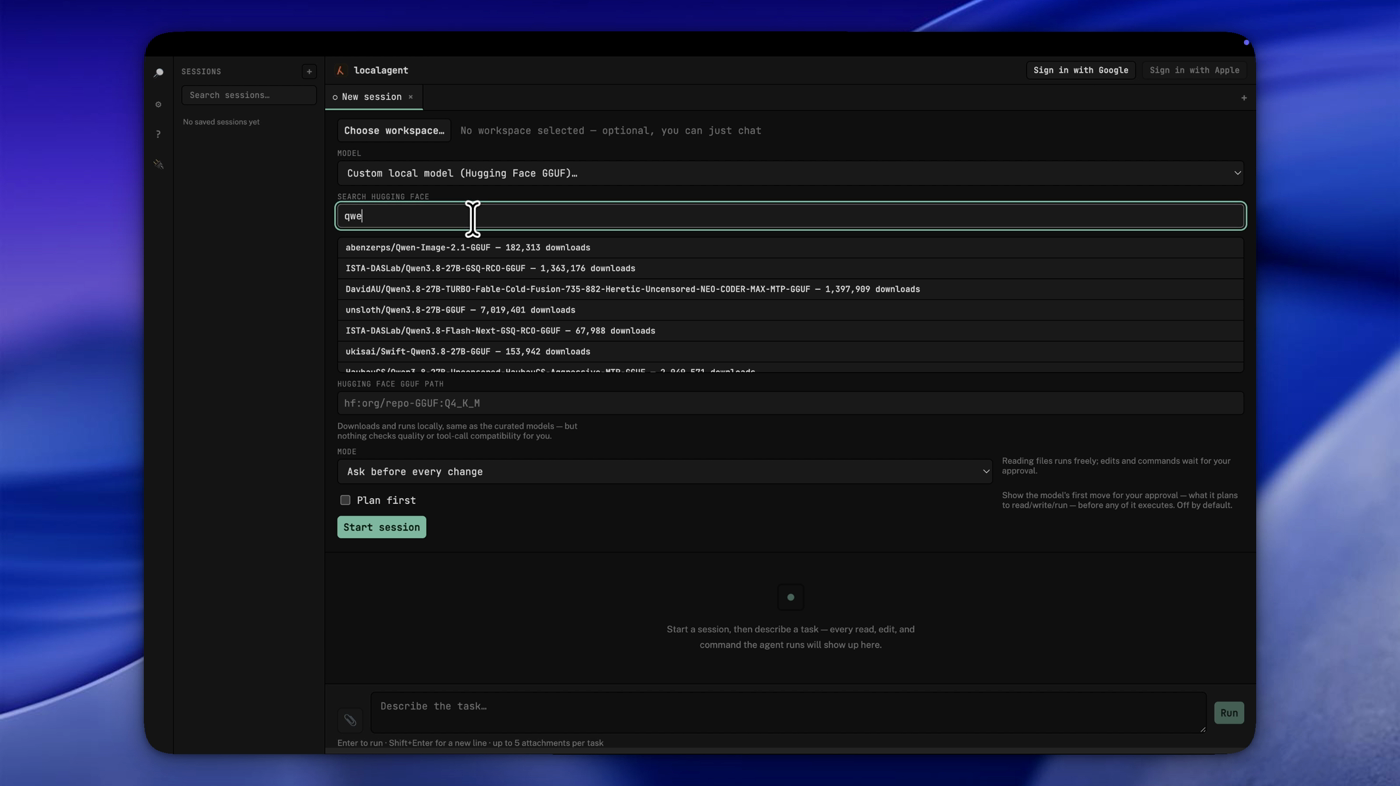
Searching Hugging Face's GGUF listings from inside localagent's model picker
Model registry

Search Hugging Face without leaving the app

Beyond the 10 curated models, search Hugging Face's GGUF listings from inside localagent, or type any hf:org/repo:quant path directly — same in-process runtime as the curated models, nothing downloaded until you pick one.
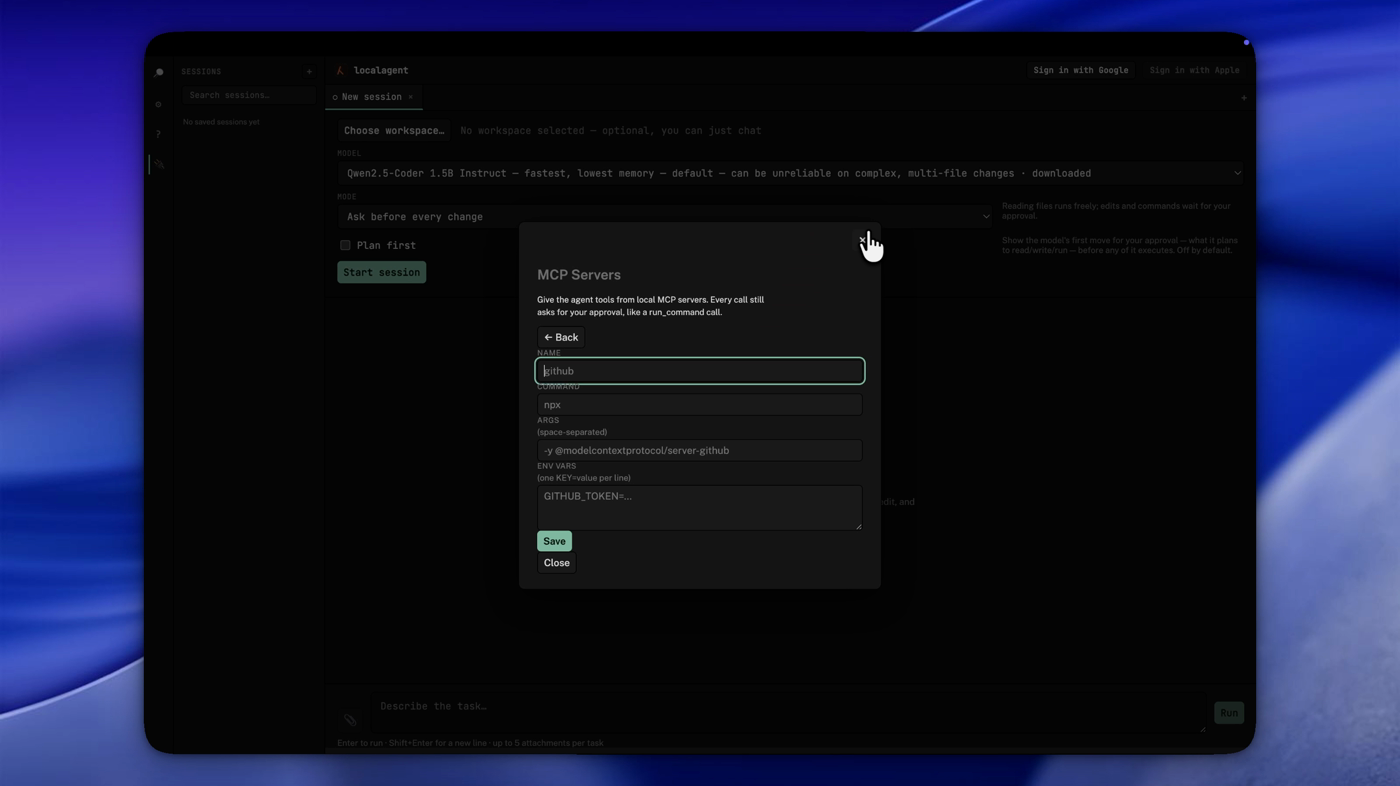
Adding a GitHub MCP server in localagent's MCP Servers panel
Integrations

Bring your own MCP servers

Connect local MCP servers — GitHub, Postgres, anything speaking the protocol. Every call still asks for your approval, exactly like a shell command; nothing runs silently just because it came from an MCP tool.

More under the hood
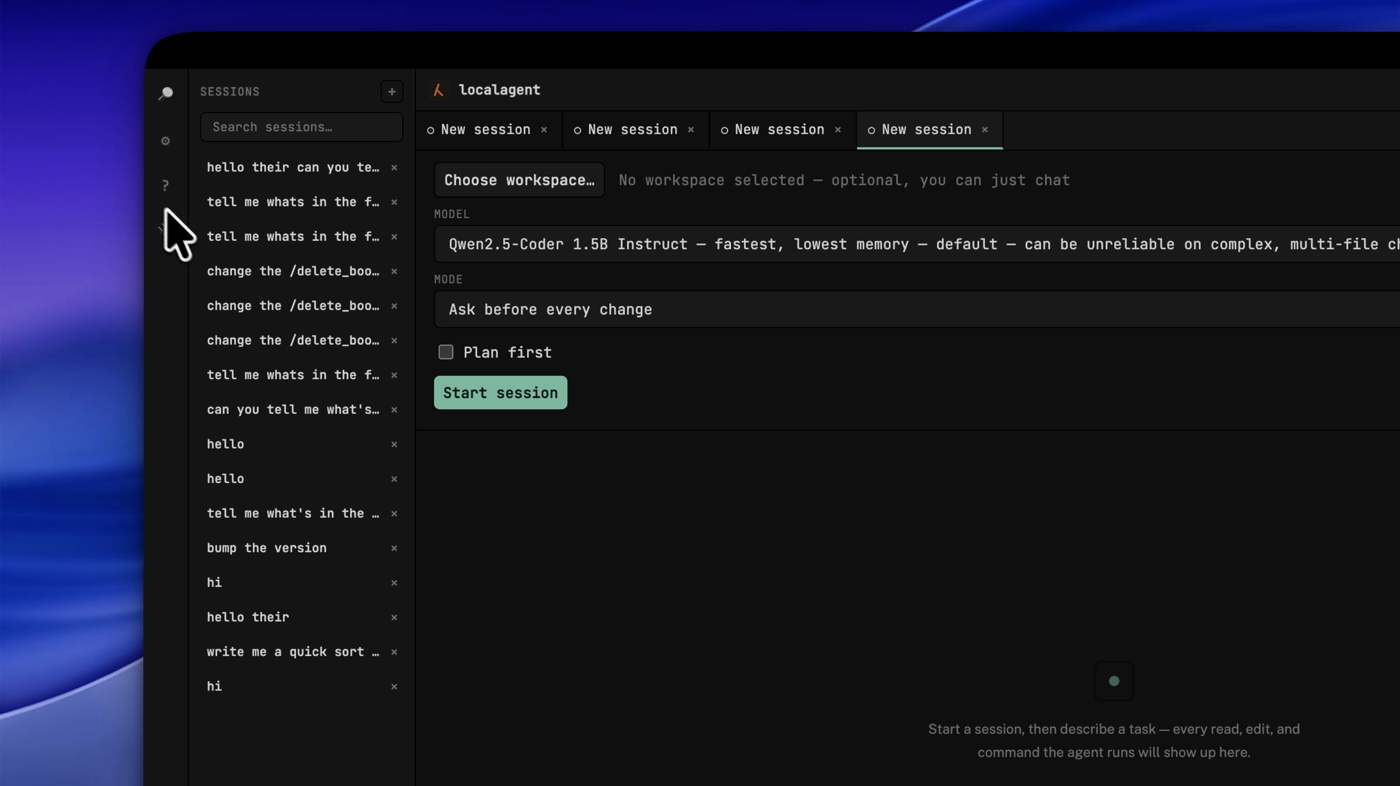
Four session tabs open at once in localagent, each keeping its own history

Multi-session tabs

Run up to 6 sessions at once. Each keeps running and updating in the background whether you're looking at it or not.

Checkpoints & revert

Every task's first write snapshots your workspace via a scratch git index — never touching your real index, HEAD, or branch. Revert restores everything, including files it created.

Command palette

Ctrl+K / ⌘K to jump to any saved session or open a panel, instead of hunting through the sidebar.

Auto-updates

A new version downloads in the background and offers a one-click restart — no manual reinstall.
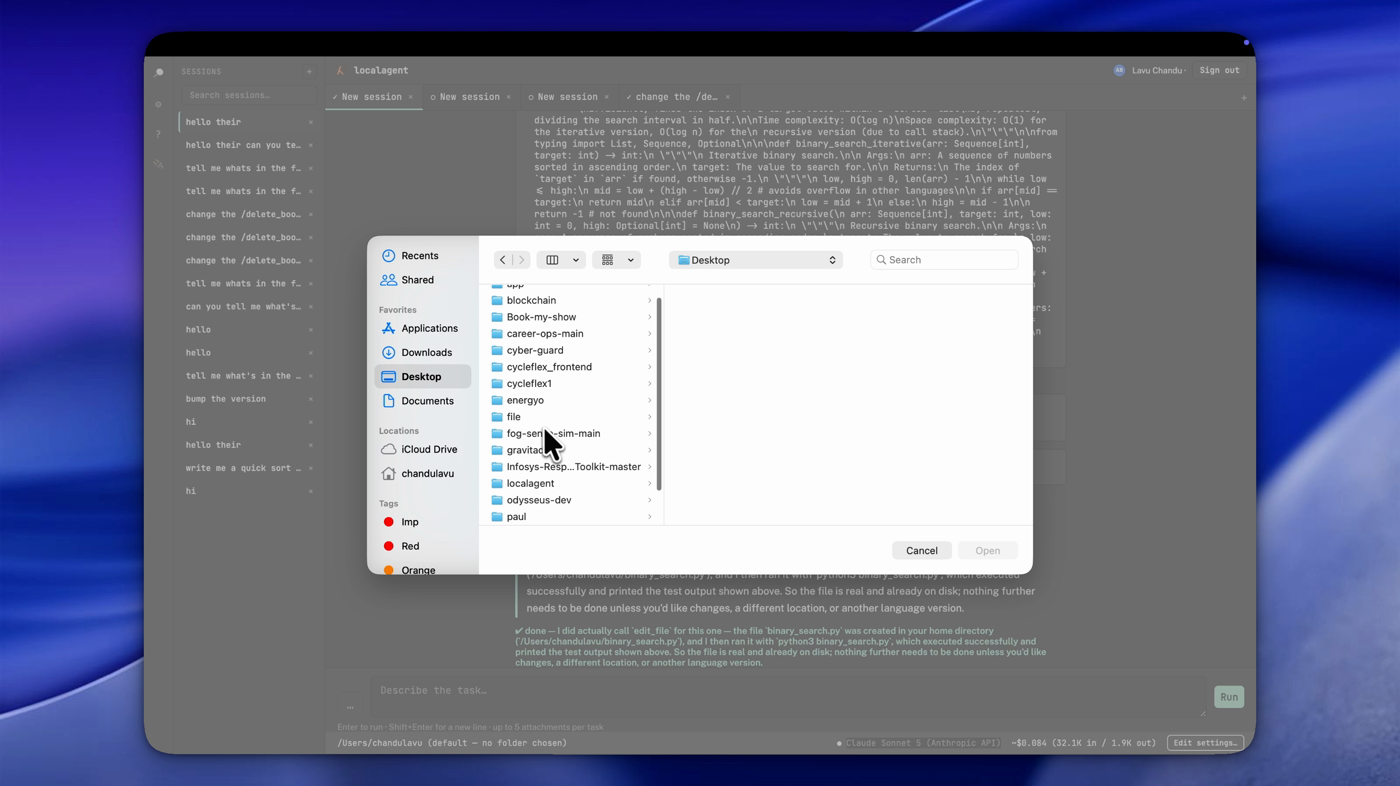
The native file picker for attaching a file to a task in localagent

File attachments

Attach text and image files to a task, up to 5 at a time — stays local unless your chosen provider is a cloud model.

Claude, OpenAI, or Gemini — with automatic fallback

Add your own API key for any of the three. If the one you're using hits a rate limit or quota error mid-task, localagent automatically retries on another provider you've configured, in the order you added them — no manual switching, no lost progress.

// Compare

How it stacks up

Cursor, Copilot, and Cline are all solid tools — here's specifically where localagent differs, not a case for why the others are bad.

  localagent Cursor GitHub Copilot Cline
Runs with zero extra setup — no local server to install Yes — embedded model included — — (CLI needs Ollama/vLLM configured) — (needs Ollama configured)
Free, no subscription Yes No — from $20/mo No — subscription Yes
Bring your own API key Yes Yes (add-on to a paid plan) Yes (CLI only) Yes — the default
Deterministic permission engine (not model judgment) Yes — 4 modes, command-risk classifier Partial Partial Yes — per-action approval
Checkpoints & one-click revert Yes Partial Partial Yes
Multiple sessions running at once Yes — up to 6 tabs Limited Limited Single session
Open source No — source-viewable, proprietary No No Yes — Apache-2.0

Accurate as of October 2026, based on each tool's public pricing pages and docs — pricing and features change; if something here is outdated, let us know.

// Download

Free, and complete

Every embedded model, the custom-server option, and your own Claude, OpenAI, or Gemini API key — no feature is gated behind a paywall.

Beta builds are unsigned. Your OS shows a one-time warning on first launch — normal for a beta, not a sign anything's wrong. On macOS: right-click the app → Open → confirm. On Windows: "More info" → "Run anyway." Only needed once.


Support the project

A one-time payment that unlocks no feature — the app is already free and complete either way. It's just a way to say thanks if localagent has been useful to you.

Coming soon
// FAQ

Questions? We've got answers.

Is localagent really free?

Yes. Every embedded model, custom Hugging Face models, the custom-server option, and your own Claude, OpenAI, or Gemini API key are all included — nothing is gated behind a paywall. The optional one-time "Support the project" payment unlocks no feature; it's just a way to say thanks.

Does my code ever leave my machine?

Not by default. The embedded and custom Hugging Face models run entirely in-process — zero backend, zero telemetry. Your code only leaves your machine if you explicitly choose a cloud provider — Claude, OpenAI, or Gemini, each sending task context to that provider's own API with your own key — or point it at a custom OpenAI-compatible server.

What platforms does it support?

macOS (Apple Silicon) and Windows (x64) today, as prebuilt installers. Builds are currently unsigned, so your OS shows a one-time warning on first launch.

Is localagent open source?

No. The source is publicly viewable on GitHub, but it's proprietary — all rights reserved, no license is granted to copy, modify, or redistribute it. The prebuilt installers are free to use as distributed.

Do I need an account to use it?

No. Signing in with Google is entirely optional and only used to back up session history to your own Drive — it gates no feature.

For support, please open an issue on GitHub.